by
by If you have invested in SEO and seen improvement in your website ranking, then don’t make changes that will cause your website traffic to stall or decline.
Do WordPress page builders hurt SEO? Without sacrificing SEO keywords or metadata, let’s take a closer look at how WordPress page builders affect your SEO.
Maybe you’ve invested time and dollars into SEO but haven’t seen a return? We can help with personalized SEO Training. The SEO team at Emily Journey & Associates equips you to make better decisions about your SEO investments.
Why use a page builder in the first place?
A page builder is perfect for a business owner who wants a high-quality WordPress website but doesn’t have the time, know-how or desire to create one. It also simplifies the process of creating and editing website pages once the site is up and running.
For example, with a page builder like Elementor, you can create a WordPress website with an efficient drag-and-drop system. Spend less time building your website and more time focused on product and service delivery.
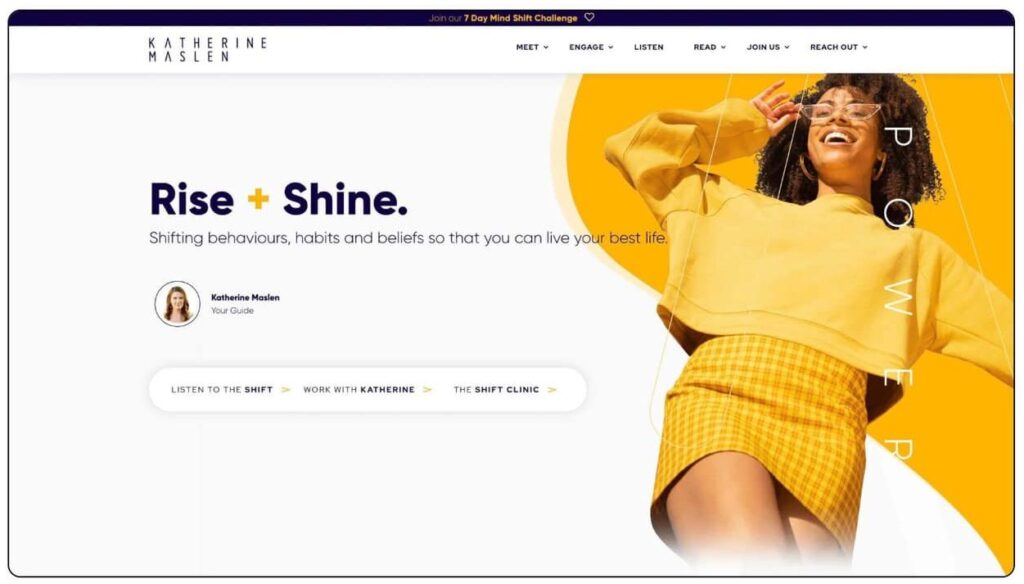
When to use a WordPress page builder
At Emily Journey & Associates, we recommend reserving page builders to create pages that require a sophisticated layout, like your homepage.
We prefer not to use page builders on simpler layouts like blog posts. Instead, it’s best to use the WordPress Classic Editor because it’s even more efficient than a page builder. Pages built without page builders load faster and typically have “cleaner code.”
Maybe a page builder sounds like a great solution for some of your website pages, but you’ve heard that it may impact your website’s potential for organic traffic.
Do WordPress page builders hurt SEO?
The short answer is yes. WordPress page builders can hurt SEO. However, as with most things in life, the answer is not clear cut.
Understanding how page builders can have a negative effect on SEO will help you keep an eye on website health and determine if the site is impacted.
Struggling to really understand SEO? You don’t have to figure it out on your own. Contact our friendly office at (844) 972-6224 or send us a message through our SEO services inquiry form to learn about our SEO Training.
How WordPress page builders affect SEO
Here is a list of common ways that page builders can impact your website, so you know what to keep an eye on if you decide to use one.
1. A Page Builder Can Slow Down Your Website
For starters, page builders can slow down your website.
When you use the standard WordPress editor to publish a piece of content, the generated HTML code is very lean and straightforward.

But, if you’ve ever tried designing a webpage using the native WordPress builder, you will quickly become frustrated with the lack of styling options. That’s why someone would use a page builder instead.
However, page builders typically generate extra HTML codes to accommodate all those styling options. This can often include resource intensive Javascript or excessive CSS. You’ll not see this by viewing the page, but if you’re viewing the source files, there could be a lot of bloat and unnecessary coding.
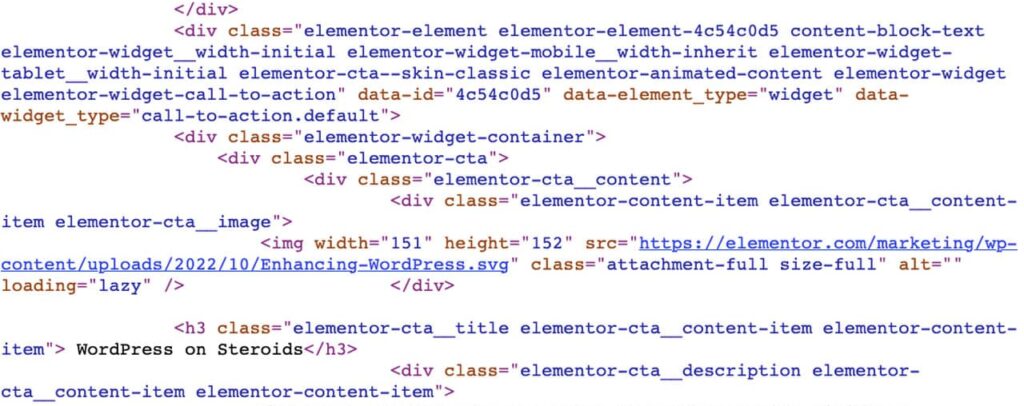
Search engines and web browsers read this HTML code. The more complex the code, the longer it takes to read.
If your users are on an older computer or mobile phone – and/or on a slow cellular connection – it will take a long time to download and render your website.
And if the search engines have to process these poorly organized, code-heavy pages, it can affect your Page Experience score with Google. A lower Page Experience score can contribute negatively to your search ranking.
2. Unable to Fix Mistakes With a Page Builder
Being unable to fix any issues that impact SEO is another reason a page builder will slow down a WordPress website.
See, using a popular page builder like Elementor or Divi means you don’t have direct access to the HTML code that is generated. You only have access to the front-end drag-and-drop editor.
And what if there are issues with your heading tags, meta descriptions or your URLs? These affect SEO significantly, and you will lose ranking and traffic without accessing the HTML to fix it.
Fixing the HTML code generated by a page builder often requires a professional – like a developer or a website manager – who offers WordPress website maintenance services.
Want to discuss SEO? Contact the team at Emily Journey & Associates.
Office: (844) 972-6224 Contact Us
3. Page Builders Can Be Susceptible to Hackers
In a nutshell, most page builders are nothing more than complex WordPress plugins that contain hundreds of code files and many thousands of lines of code.
Any code can have bugs, and as a WordPress plugin, page builders have direct access to your full WordPress installation. A vulnerability or exploit in the plugin can potentially open your entire WordPress website to random hackers.
This happened to users of Elementor Pro recently, and to Divi in the recent past, but it can happen to any page builder.
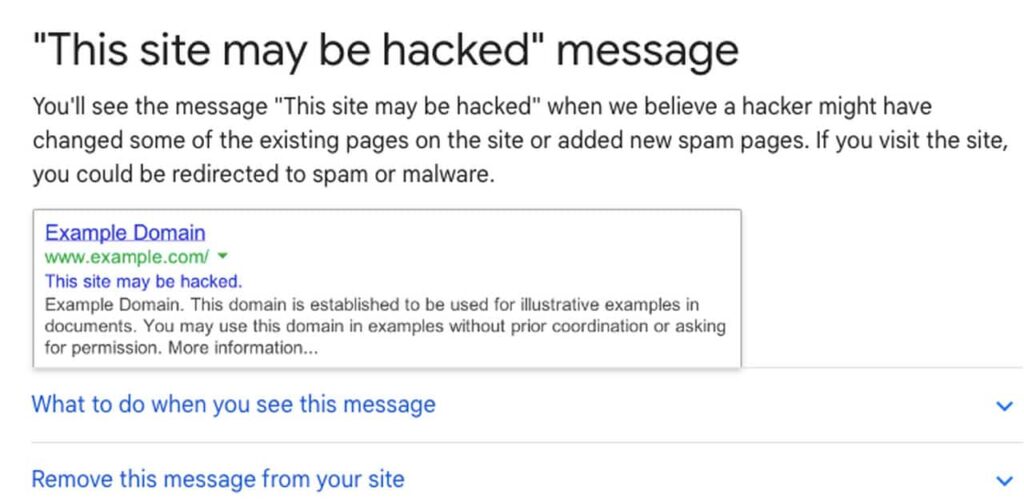
Hacking severely hurts your SEO because hackers often change existing web pages or create redirects or new web pages with spammy content on your website.
This affects how Google views your website content. If there is malware, the end result can cause Google to drop pages (and mention it in the search result pages), which can impact your click-through rates.
How to safeguard against this? Limit your use of WordPress plugins and decide if a complex plugin like a page builder is necessary.
WordPress page builders affect SEO: It’s not all doom and gloom
I know I made a big case on avoiding page builders for your website design, but they are okay for specific pages, like your home page or a sales page. I mean it. This is really just fine.
Where a website can run into SEO problems is when a page builder is used at every publishing opportunity–blogs, contact page, etc.
Just because you can doesn’t mean you should.
Popular page builders like Elementor, Divi, and Oxygen – and likely most others – have fixed many of the performance issues that have historically plagued them. For example, Divi’s homepage makes it clear that their page builder doesn’t slow down your website speed or page performance.

Page builders make it simple to create a stunning website, but so do the thousands of WordPress themes you can use instead. Don’t limit yourself to only page builders when looking for a website change.
Overall, page builders don’t offer any SEO advantages. Instead, if overused, they can negatively affect SEO and slow down your website speed. Knowing what to look for will help you spot problems caused by WordPress page builders.
Want to know what else can impact your SEO besides WordPress page builders? Contact us to learn about our comprehensive SEO Training.